 Registering API Keys
You will need to register for data access API keys to enable the Departures Board to obtain real time information from National Rail. These accounts are completely free-of-charge. There are two sources for National Rail, the legacy OpenLDBWS feed (no longer accepting new registrations) or the more recent Rail Delivery Group feeds. Both feeds contain exactly the same information. For new registrations, use the Rail Delivery Group feed.
Follow the instructions below to obtain the keys you need for your board.
Jump to: Rail Delivery Group · OpenWeather · Transport for London
National Rail (Rail Delivery Group) Registration
Rail Delivery Group (RDG) API keys are available, free of charge, from the Rail Data Marketplace. Begin the process by registering a new account at https://raildata.org.uk/registerPartner
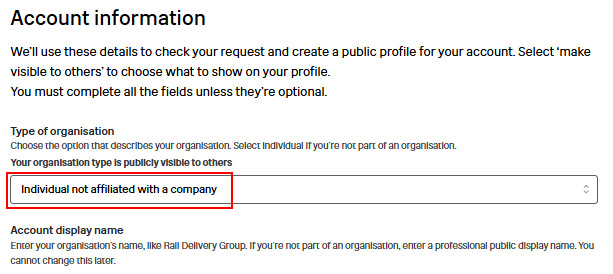
Under Account Information, select “Individual not affiliated with a company” for the type of organisation.
Complete all the other required fields with your personal information and then click Register.
You will receive an e-mail confirming that your request has been submitted. The account creation process can take up to 3 working days, but it is usually approved the same working day.
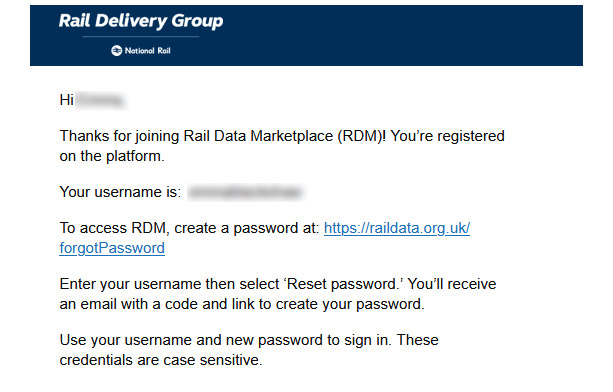
Follow the instructions in the subsequent “Welcome to Rail Data Marketplace” e-mail to setup your password and then login with your username and password.
You will be asked to setup multi-factor authentication (MFA) – follow the instructions and agree to the Terms of Use and Privacy Policy.
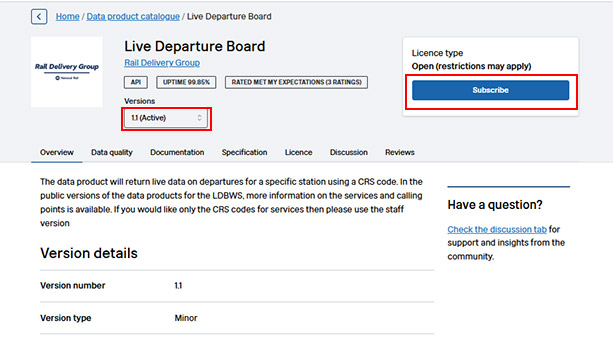
Once you have successfully logged in, click here to go to the “Live Departure Board” API product. Ensure that version 1.1 is selected and click Subscribe.
The T&Cs will be displayed, where you can confirm that the charging model is “Free” with no usage limit.
Scroll down and confirm the “I have read and accept the licence terms and conditions” box. Click on the Subscribe for free button.
A confirmation screen will be displayed. Click on View subscriptions and then click on “Live Departure Board” in the list of subscriptions.
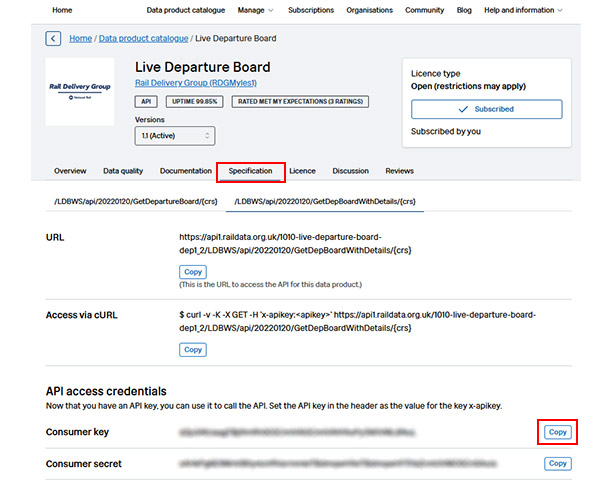
Click on Specification and scroll down to the API access credentials section.
Copy your Consumer key – this is the API key you need to enter in the “RDG Live Departure Board API key” box in the Departures Board setup.
Optionally, if you would like to display the “Last seen at” information for services on the Departures Board, continue below to obtain a key for the Service Details API (not applicable to the Tiny Departures Board).
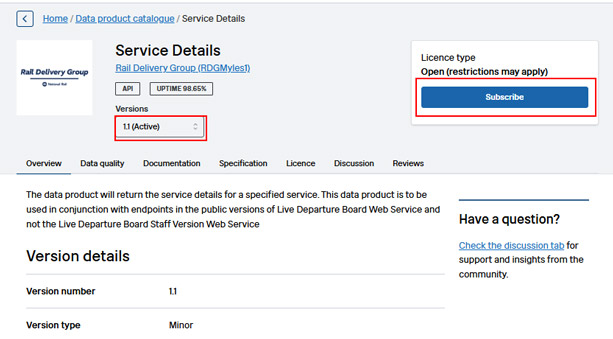
To display the “Last seen at” information, you will need a Service Details API key. Click here to go to the “Service Details” API product. Ensure that version 1.1 is selected and click Subscribe.
The T&Cs will be displayed, where you can confirm that the charging model is “Free” with no usage limit.
Scroll down and confirm the “I have read and accept the licence terms and conditions” box. Click on the Subscribe for free button.
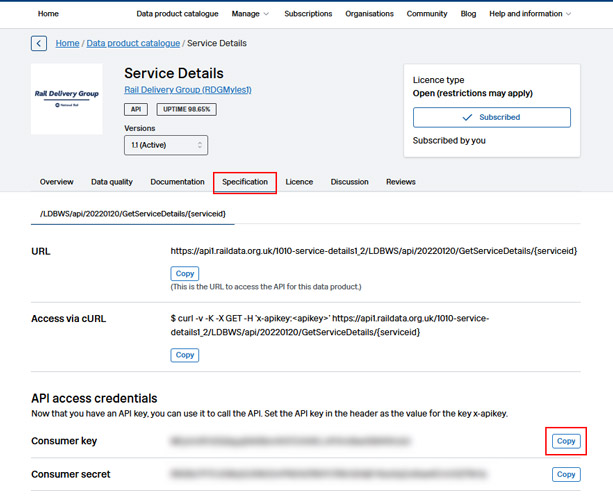
A confirmation screen will be displayed. Click on View subscriptions and then click on “Service Details” in the list of subscriptions.
Click on “Specification” and scroll down to the API access credentials section.
Copy your Consumer key – this is the API key you need to enter in the “RDG Service Details API key” box in the Departures Board setup.
OpenWeather Registration (Optional)
By default, the board will obtain weather information from the Open-Meteo service. If you prefer to use OpenWeather (which usually provides slightly more localised weather conditions), you will need an OpenWeather Map API key.
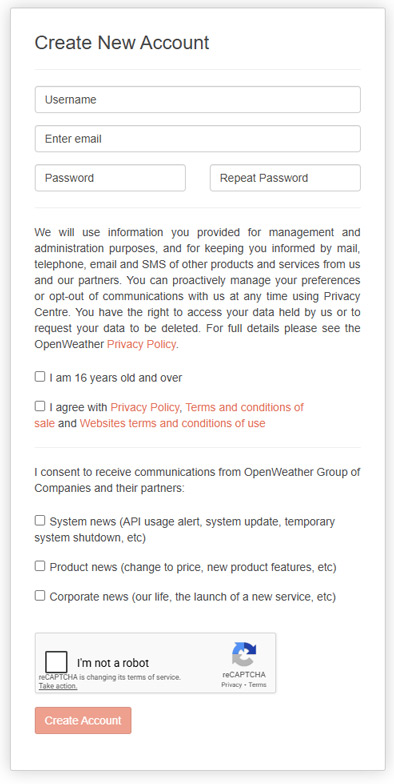
Begin the registration process at https://home.openweathermap.org/users/sign_up
Fill in your details and click Create Account.
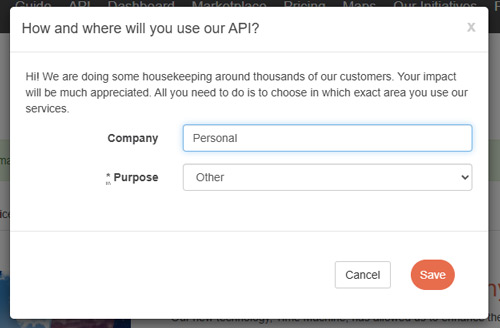
You will be asked “How and where will you use our API?” Simply enter Personal and Other as your response.
You will then receive an OpenWeatherMap Account confirmation e-mail (check your spam folder) containing a link to verify your account.
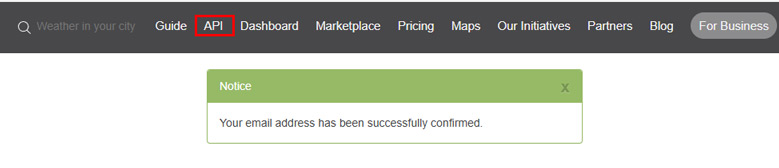
Once your email address has been confirmed, select API from the menu:
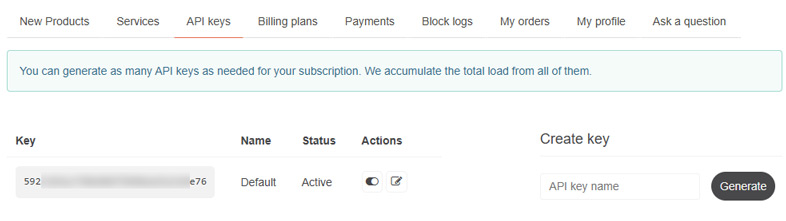
Your default API key will have been created and can be used for the Departures Board.
Note, it can take up to 30 minutes for the key to be fully activated before it can be used by the Departures Board.
Transport for London Registration (Optional)
It is not normally necessary to register a TfL account as the Departures Board will operate normally using anonymous access to the data feed. However, if you have other applications that use a TfL feed and might exceed the anonymous access limit of 50 requests per minute, follow the guide below to register an account. This section is not applicable to the Tiny Departures Board (as this does not include London Underground arrivals).
Begin the process at https://api-portal.tfl.gov.uk/signup …
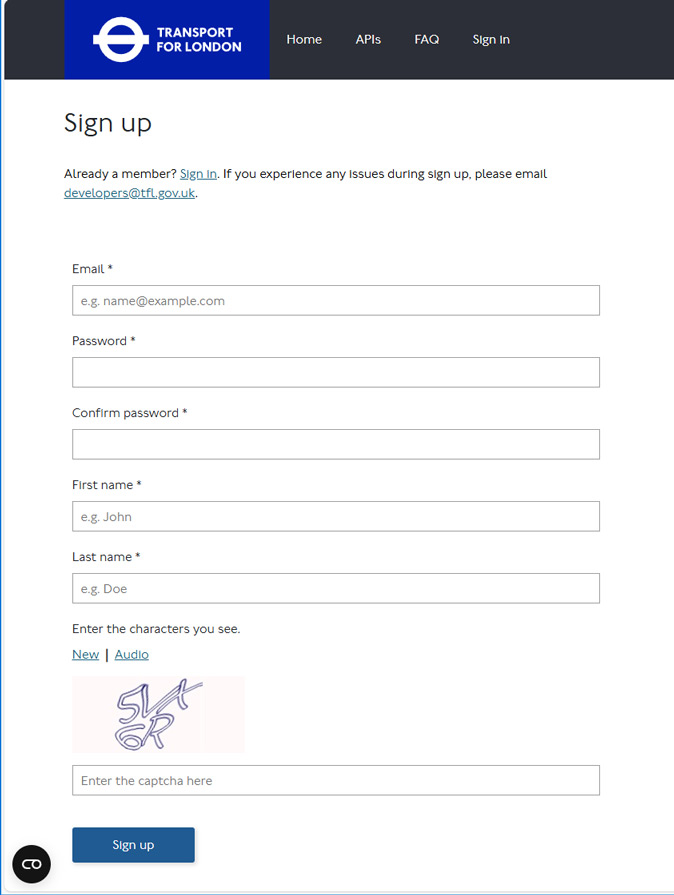
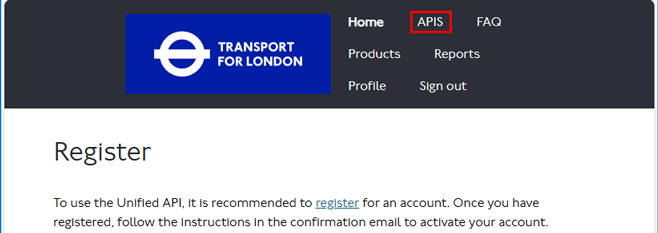
After signing up, you will receive a Please confirm your new Transport for London API account e-mail. Click the link to confirm and then sign in to your account. Click the APIS option at the top of the screen:
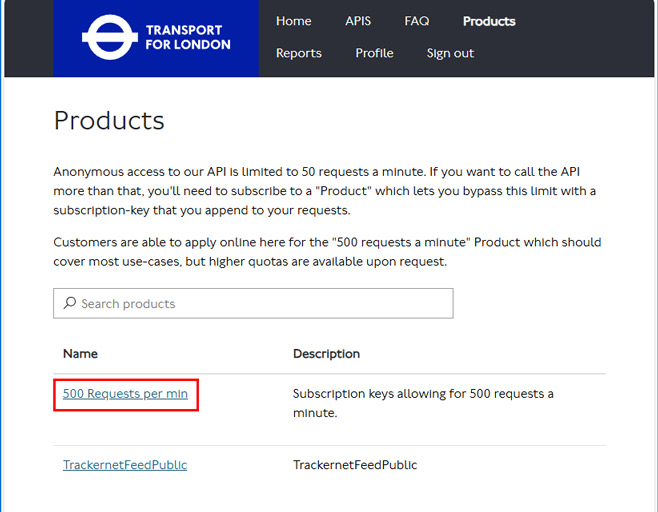
On the Products screen, select the 500 Request per min option:
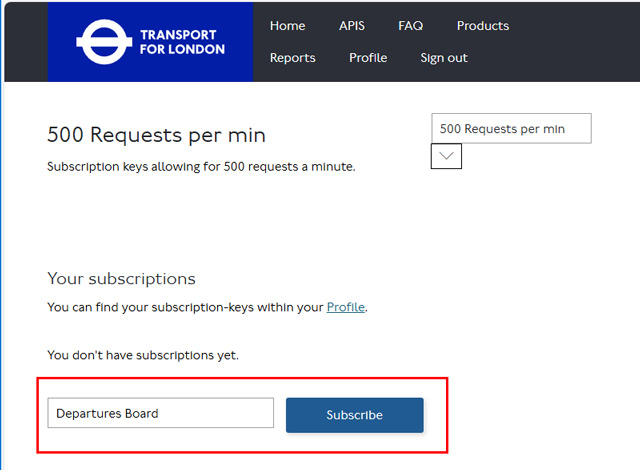
Enter a name for the subscription – e.g. Departures Board and click Subscribe.
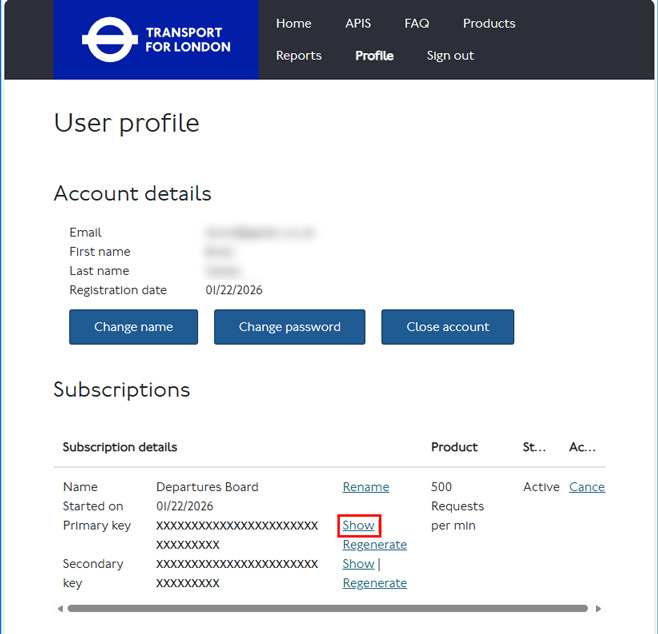
Your primary API key can now be displayed by clicking Show – this is the key you need for the Departures Board.